
Can You Put a Photo or Gradient on a Patch? Printed and Sublimated Options
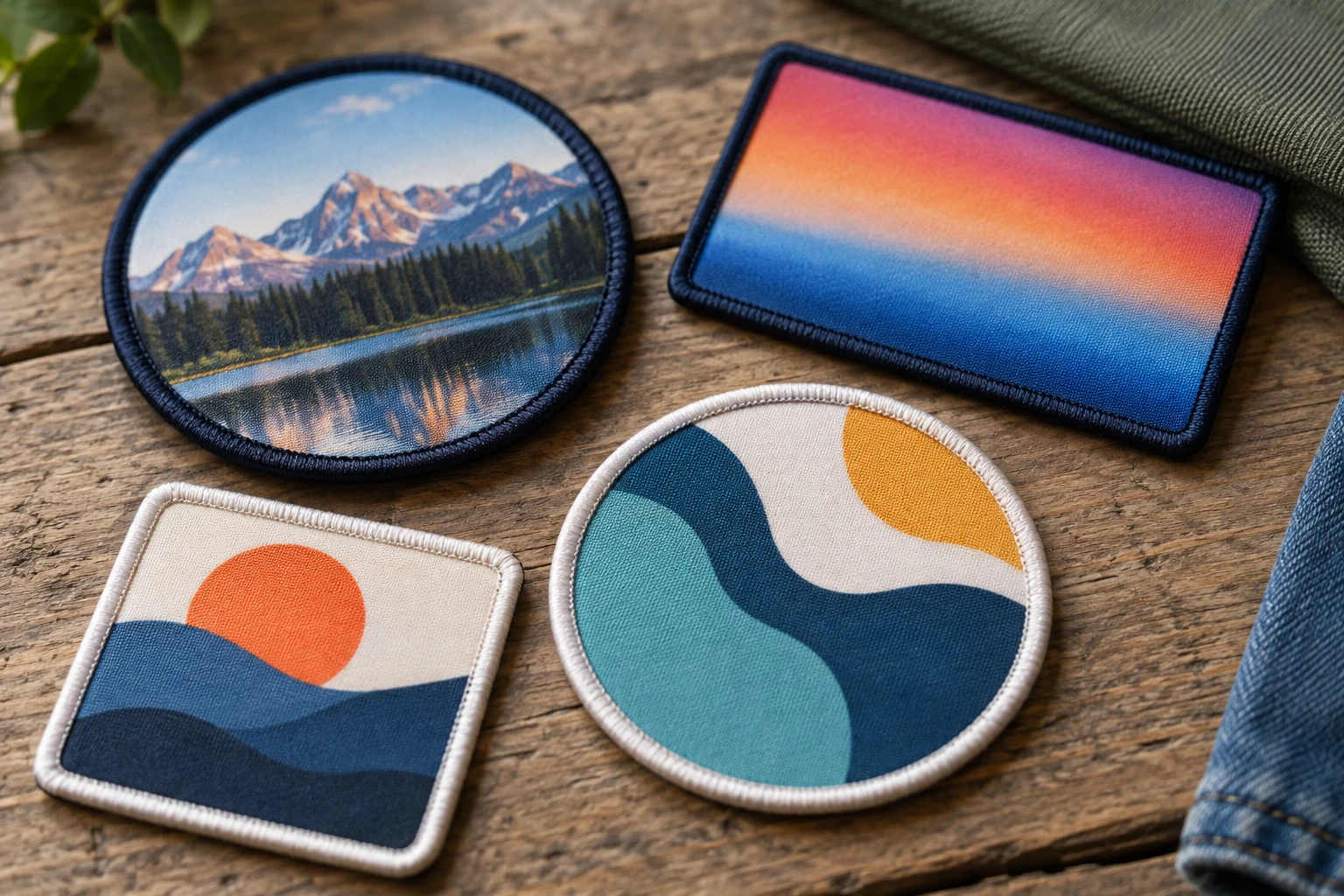
You can put a photo on a patch using a suitable printing process, including dye sublimation on polyester. Printing reproduces photographic detail and smooth colour gradients more faithfully than embroidery. The result depends on image resolution, finished size, fabric texture and colour reproduction, so check the artwork at actual patch size.
Key takeaways
- Printing can reproduce photographs and smooth gradients; embroidery interprets them through visible stitches.
- Sublimation is a printing process suited to polyester, normally using a white or light base for full-colour artwork.
- Image resolution must be checked at finished patch size; changing the DPI label does not restore missing detail.
- The Customized Patches has a 5-piece minimum per design, with production only after artwork approval.
Yes, you can put a photo on a patch using printing, including dye sublimation on a suitable polyester base. These methods reproduce photographic detail and smooth gradients more faithfully than embroidery, which builds an image from individual stitches.
The choice depends on what must remain recognisable: a face, product image, shaded illustration or colour fade. Start with the finished patch size and original artwork, then choose the process, border and backing around that detail.
Why embroidery cannot reproduce a photograph faithfully
A photograph contains subtle changes in light, colour and texture. Embroidery translates those changes into thread colours, stitch directions and stitched areas; the thread has physical width and a sheen that changes with the light. Small highlights, facial features and fine text can merge or disappear.
Skilled digitising can create a recognisable portrait or suggest a gradient by blending stitches, but it remains a stitched interpretation rather than a photographic reproduction. Choose embroidered patches for bold shapes and texture; choose print when the original image matters more than raised thread.
Which process should you choose for a photo on a patch?
Printed patches are a broad category, not one printing method. Sublimation uses heat to transfer dye into suitable polyester fibres, rather than creating a raised ink layer. Other print processes use different inks and base materials, so ask which process the quote specifies.
| Option | Photos and gradients | Main trade-off | Best use |
|---|---|---|---|
| Dye-sublimated polyester | Well suited to photographic shading and colour fades | Normally needs a white or light polyester base; fabric texture still affects detail | Portraits, full-colour illustrations and gradient logos |
| Other full-colour printing | Can reproduce photos; results depend on the process | Surface feel and wash performance vary with ink, fabric and finish | Photo designs where the specified base or finish suits the garment |
| Embroidery | Approximates shading with thread; not a faithful photo copy | Raised texture, but small details can fill in | Simplified portraits, bold crests and solid-colour logos |
| Woven construction | Can represent tonal patterns, but not continuous-tone photos | Finer thread detail than typical embroidery, with a flatter surface | Small lettering and detailed flat-colour artwork |
For a gradient that must remain smooth, sublimation is a sensible starting point. Standard sublimation does not print white ink: white parts of the image come from the base fabric. Dark fabric therefore cannot replace a white base without changing the result.
Send the image and intended patch size so the print choice can be assessed against the detail you need. We provide a free digital mockup, usually within 12 hours.
GET A FREE MOCKUPFor a flat-colour logo with tiny lettering, woven patches may be enough without printing. Conventional moulded PVC patches suit defined colour areas and relief, not photographic tonal detail. Confirm the construction rather than choosing by appearance alone.
What artwork will give a clear printed result?
Send the original high-resolution photograph rather than a screenshot or a compressed messaging-app copy. Around 300 pixels per inch at finished print size is a useful starting point, not a guarantee: a 75 mm (2.95 in) image needs roughly 886 pixels across at that resolution.
Changing a file's DPI setting does not recover missing pixels. Crop first, then assess the remaining image at actual patch size; a sharp group photograph can still leave every face too small to recognise. A closer crop often helps more than increasing resolution.
Keep faces, lettering and gradients away from problems
- Keep faces and essential text inside the safe area agreed for the border and cutting method.
- Extend background artwork into any requested bleed; do not assume a universal bleed measurement.
- Supply logos and added lettering as vector artwork where available, alongside the original photograph.
- Check gradients for visible bands and compression artefacts before sending the file.
A screen emits light; a fabric patch reflects it. Expect some difference in brightness and colour, especially with fluorescent-looking shades and dark shadow detail. Our guide to Seven Patch Design Mistakes That Cause Rework (and How to Avoid Them) covers other checks worth making before approval.
Choose the border and backing for the garment
A printed centre can still have a stitched border. A merrowed edge gives a raised, wrapped outline but takes up visible space around the image; sharp corners and intricate outlines may need another edge finish. Confirm the usable printed area, not just the overall dimensions.
Include your garment, backing and required delivery date with the artwork so the quote covers more than the printed face. Get a free digital mockup, usually within 12 hours, before approving production.
GET A FREE MOCKUP- Canvas bag: sew-on is a practical starting point if stitching is accessible.
- Nylon shell: avoid assuming iron-on is safe; heat can damage fabric or coatings, while stitching can compromise waterproofing.
- Wool jacket: check the lining and fabric care requirements before applying heat or stitching.
- Polo shirt: consider patch weight, flexibility and wash requirements so it does not pull the fabric out of shape.
Iron-on adhesive can lift after unsuitable washing or application; a printed image does not make the backing heat-proof. Hook-and-loop needs a matching panel on the garment. For more detail, see Adding a Patch to a Canvas Bag or Rucksack and Patching Wool and Melton Jackets: Backings and Stitching That Work.
What to send for a quote, and what to approve
The Customized Patches makes patches to order from your artwork, with a 5-piece minimum per design. Quotes start from £60 and shipping is free across the United Kingdom; request a quote for the chosen size, quantity, construction and backing rather than treating the starting price as a fixed package.
- Upload the original artwork through our free mockup quote form.
- Give the quantity and finished width and height in millimetres, plus the intended garment and backing.
- Identify critical details, such as faces, small wording, a gradient or a brand colour.
- Check the mockup's crop, dimensions, border and artwork, and confirm the backing in the specification.
- Give your required delivery date and ask for production and UK delivery timings before approving.
Our free digital mockup is usually ready within 12 hours; that is not the manufacturing or delivery time. We produce only after approval. A digital mockup shows the proposed design, not physical fabric texture or an exact colour proof, so raise colour-critical requirements before approving.
Frequently asked questions
Can I put a photo on a patch without simplifying it?
Usually, yes: full-colour printing can retain photographic shading without converting it into solid-colour shapes. The photograph still needs enough resolution, and small faces or background details may need a tighter crop.
Are printed patches and sublimated patches the same?
Sublimated patches are one type of printed patch. Sublimation transfers dye into suitable polyester, while other printing processes use different inks and substrates. Confirm the method when comparing quotes.
Will a sublimated photograph peel off?
Sublimated dye is within the polyester rather than a separate image film, so it does not peel as a film can. The patch can still suffer abrasion, fading or backing failure; follow the supplied care instructions.
Can embroidery create a gradient?
Embroidery can suggest a gradient using blended stitches and several thread colours. It will show thread texture and transitions, so printing is preferable if a smooth colour fade must closely follow the artwork.
What is the smallest sensible size for a photo patch?
There is no universal minimum for a recognisable photograph. A close-up face needs less space than a group photograph. Check the crop at actual size; the sizing and backing guide explains further specification choices.
Can I order just one photo patch?
Our minimum is 5 pieces per design. We provide a free digital mockup usually within 12 hours, and production begins only after approval. Confirm the quote and delivery timing before committing to an event date.
Ready to produce custom patches for your UK team or brand?
GET A FREE MOCKUP